
Perfect TiviMate Premium Setup: Activate Your Playlist Fast
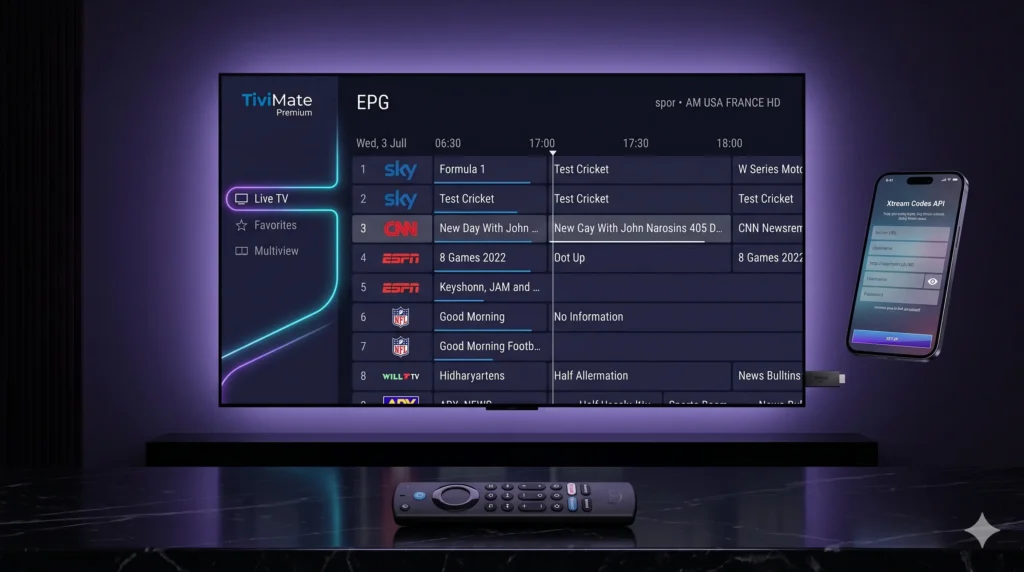
If you use Android TV or Firestick for live TV, movies, and catch-up content, TiviMate Premium is still one of the strongest interface upgrades you can make in 2026. The official TiviMate ecosystem presents it as a premium media player built around multiple playlists, favorites, advanced search, multiview, catch-up tracking, recording, parental controls, and heavy personalization. This is exactly why many users still treat it as the absolute benchmark IPTV front-end for big-screen streaming. Just as importantly, TiviMate is explicit about what it is not: it does not provide channels, streams, or media content on its own. Any premium purchase only unlocks app features rather than bundled content. That distinction is the key to a proper configuration. The free version is usable, but the TiviMate IPTV Player becomes dramatically more powerful once Premium is unlocked. That is when the app’s advanced management tools start to matter across multiple playlists, better channel organization, and premium-only controls. If you plan to use credentials from our elite networks including Limitless IPTV, Arisiptv, Rush IPTV, or Next IPTV—the best experience usually comes from loading fully optimized Xtream Codes or M3U details into TiviMate and letting its guide engine do the heavy lifting. Why TiviMate Premium is the Ultimate Interface TiviMate’s reputation comes from how close it feels to a polished cable or satellite box once it is configured properly. The official feature list highlights multiple playlists, favorite channels, search, multiview, catch-up, recording, parental controls, and personalization, all of which combine into a much more premium TV-style experience than a basic playlist app. The most important upgrade is the guide itself. TiviMate’s strength is not simply that it can open streams, but that it can organize them in a proper television-first layout with favorites, categories, search, and EPG-backed browsing that feels much cleaner on a living-room screen. When people describe it as the best IPTV player for Firestick 2026, they are usually talking about that blend of speed, guide clarity, and TV-friendly navigation rather than just raw playback. Premium also matters because TiviMate is built for users who want more than one source. The platform explicitly supports multiple playlists, which makes it easier to separate sports, regional channels, backup lines, or family-specific viewing profiles inside one interface. That is especially useful if your credentials come from our premium networks or if you keep a primary line and a backup line for busy match days. Another standout feature is Multiview. TiviMate officially supports watching different channels simultaneously on the same screen, which is a major advantage for sports-heavy households that follow multiple live matches at once. If you want to track two to four events in parallel, this is one of the clearest reasons to move from a basic player to a premium one. Exclusive Premium Benefits: How to Download TiviMate Premium APK on Firestick and Android TV The cleanest source for the app is the official repository, which offers a direct Download APK link and Google Play access. To streamline setup on streaming sticks, you can enter Downloader shortcode 272483 or type the direct URL tivimate.com/apk. Android TV Install Path On Android TV devices with Google Play access, the simplest path is to install TiviMate from the Play Store. The application is explicitly intended for Android TV devices and is not optimized for touch-based phones and tablets. Firestick Install Path For Amazon Fire TV devices, you will need to sideload the TiviMate Premium apk using the Downloader application: TiviMate Companion App and Premium Activation The official TiviMate companion app is listed on Google Play and is explicitly designed as the billing tool intended to unlock Premium functionality on hardware platforms without direct Google Play access (like Amazon Fire TV sticks). It acts purely as your account manager and active device token validator. For users running iPhone, iPad, or Mac/Windows desktops, the core limitation is that the Companion app is an Android Google Play store utility. Setup walkthroughs recommend using an old Android mobile device or running a desktop Android emulator (such as BlueStacks) to manage your premium registration. The Standard Activation Path: Step-by-Step: Adding an Xtream Codes Playlist to TiviMate Once the app is installed and Premium is active, the next step is adding your service credentials. Using Xtream Codes API parameters is highly recommended over typing a long M3U URL string, as it allows the TiviMate engine to parse and update your TV categories and EPG guide data far more dynamically. Setup Sequence: Advanced Troubleshooting: Fix Buffering & Guide Errors Even a professional home cinema configuration can experience issues if your device cache gets congested or your internet provider limits your speeds. 1. Fixing “No EPG” or Missing Guide Data If your TV guide shows empty blocks, navigate to Settings > EPG inside the app. Review your XMLTV guide sources, verify that your playlist is correctly assigned to the active source, and trigger a manual Update EPG refresh. This easily restores missing listings after a provider changes channel mappings or server endpoints on the backend. 2. Fixing Buffering and App Slowdowns If streams begin to lag or the interface feels unresponsive on your Firestick, local device maintenance is required: 3. Using a VPN Against ISP Throttling If your streams play flawlessly during the week but suffer from buffering specifically during massive weekend live football matches or boxing events, your local Internet Service Provider (ISP) may be intentionally throttling your video streaming bandwidth. Install a secure VPN, connect to a nearby low-latency server using fast encryption protocols, and launch the app to completely bypass provider-side slowdowns. Final Thoughts A proper TiviMate Premium configuration transforms a basic playlist line into an elite, living-room-ready television platform. By combining its massive premium features like multiview and catch-up tracking with a high-quality subscription from Arisiptv, Rush IPTV, or Next IPTV, you build the definitive foundation for an optimized, freeze-free home entertainment ecosystem. Set up your app from the official repository, trigger your activation via the Companion workflow, and enjoy a premium 4K viewing experience tonight.
Best IPTV Streaming Devices 2026: Firestick vs Apple TV
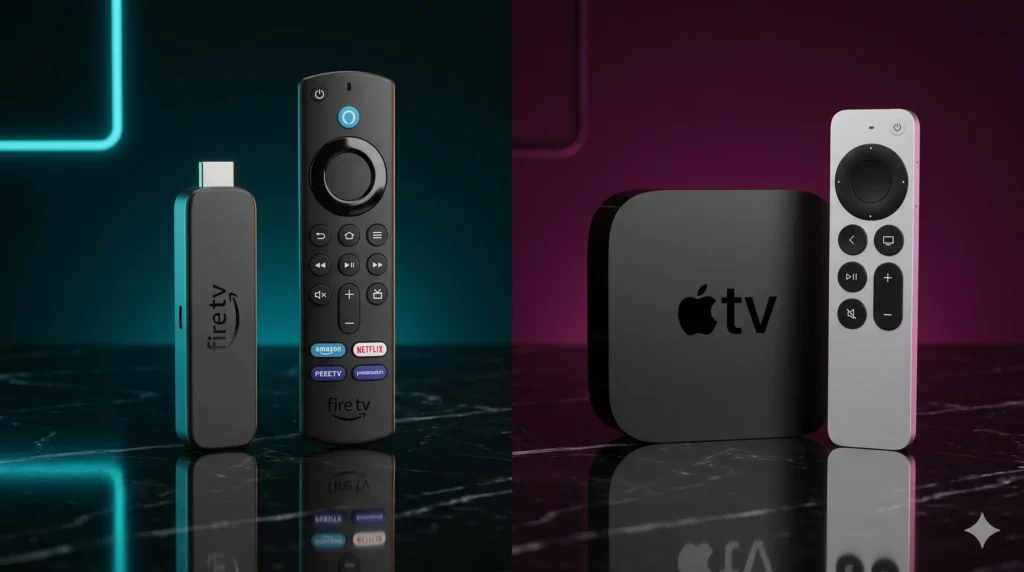
Choosing the right streaming device is no longer a small detail. In 2026, your IPTV experience depends just as much on hardware as it does on the provider itself. The current Fire TV Stick 4K Max offers 16GB storage, Wi-Fi 6E, support for 4K HDR at 60fps, and broad HDR support including Dolby Vision and HDR10+, while Apple TV 4K brings the A15 Bionic chip, 64GB or 128GB storage, HDMI 2.1, and a famously smooth premium interface. That creates the real buying dilemma for today’s streaming households: do you go with the flexible, value-driven Firestick, or invest in the more expensive but ultra-polished Apple TV 4K? For IPTV users, this decision matters more than ever. A premium subscription can still feel average on weak hardware, while choosing one of the best IPTV streaming devices can dramatically improve live sports playback, app responsiveness, guide loading, and 4K VOD performance. We always say the same thing: your streaming quality is roughly 50% provider and 50% device. If either side is weak, the entire setup suffers. Amazon Fire TV Stick 4K Max: The King of Value If you want the best balance of price, flexibility, and IPTV compatibility, the Amazon Fire TV Stick 4K Max remains one of the smartest choices on the market. Reviews and spec summaries for the current model consistently point to a 2.0GHz quad-core processor, 2GB RAM, 16GB storage, Wi-Fi 6E, and support for 4K HDR at 60fps with Dolby Vision, HDR10, HDR10+, HLG, and Dolby Atmos. That specification profile matters because the 4K Max hits the sweet spot for real-world streaming. It is powerful enough to run modern IPTV apps smoothly, compact enough to disappear behind a TV, and affordable enough to appeal to high-intent buyers who want a serious upgrade without paying Apple TV money. Why Firestick Remains So Popular The biggest advantage of the Fire TV Stick 4K Max is not just raw hardware. It is the combination of hardware and ecosystem. Key strengths include: Firestick 4K Max Setup 2026 For anyone planning a Firestick 4K Max setup 2026, the device is still one of the easiest entry points into a strong IPTV environment. It works especially well for users who want TiviMate for live TV power use, IPTV Smarters Pro for simpler multi-device households, or a compact streaming stick for travel. There is one caveat worth noting: current UK reporting on Fire TV hardware says Amazon’s newer Vega OS-based sticks limit app flexibility compared with the older “classic” Android-style Firesticks, while the current Fire TV Stick 4K Max (2nd Gen) remains in the classic category, allowing broad app choice and sideloading. Apple TV 4K: Elite Performance at a Premium Price Where Firestick wins on value, Apple TV 4K wins on refinement. Apple’s official technical specifications list the current model with an A15 Bionic chip, 64GB storage on the Wi‑Fi model, 128GB on the Wi‑Fi + Ethernet model, Wi‑Fi 6, Bluetooth 5.0, and HDMI 2.1. That hardware foundation gives Apple TV 4K one of the smoothest day-to-day experiences in streaming. From the moment you use it, the difference is obvious. Menus are faster, app transitions feel cleaner, and the interface behaves more like a premium computing device than a budget streaming stick. If you care about pure polish, Apple TV 4K is in another class. Why Apple TV Feels Premium Apple TV’s appeal goes well beyond the spec sheet. It is about how the entire system works together: The App Trade-Off The main limitation of Apple TV 4K for IPTV is app ecosystem flexibility. It does not natively support TiviMate, which immediately changes the calculation for live-TV-focused users. Instead, finding the right Apple TV 4K player app matters much more than it does on Firestick. Apple users typically rely on premium alternatives such as GSE Smart IPTV, IPTVX, or other tvOS-compatible players that offer a luxurious experience inside the tvOS environment. Codecs and Processing: Handling 4K Live Sports This is where the comparison becomes truly technical. For live sports, the real challenge is not just resolution. It is whether the device can decode modern streams at 60fps, maintain stable playback, and avoid frame drops under heavy load. Fast-moving sports like football, Formula 1, UFC, and boxing reveal hardware weaknesses instantly through motion blur, dropped frames, or audio drifting out of sync. That is why achieving freeze free IPTV streaming is not only about the server; the hardware must keep up with decoding modern compression formats like HEVC and AV1 without overheating. Amazon’s Fire TV device documentation indicates full native support for modern formats including AV1, which helps future-proof the Fire TV Stick 4K Max for efficient high-quality delivery. Apple’s current specs emphasize its raw processing power and premium output stack more than codec marketing, but its A15 Bionic chip delivers flawless performance profiles targeted at high-end streaming use. Technical Matchup 2026 Device Price Tier Operating System Sideloading Ease Top Recommended Player App Max Resolution / FPS Amazon Fire TV Stick 4K Max Mid-range / Value Fire OS (Classic Android-based) Easy TiviMate / Limitless App Up to 4K HDR / 60fps Apple TV 4K Premium tvOS Limited IPTVX / GSE Smart IPTV 4K with Premium HDR Nvidia Shield Pro Premium Enthusiast Android TV Very Good TiviMate Up to 4K HDR / 60fps Note: The inclusion of the Nvidia Shield Pro here matters because it remains the premium enthusiast benchmark for many power users, featuring the Tegra X1+ processor, 3GB RAM, and 16GB storage with full Android-based hardware overhead. The Verdict: Which Device is Right for Your Living Room? When deciding on the best IPTV streaming devices for your setup, the final choice comes down to your personal workflow: Final Decision The Amazon Fire TV Stick 4K Max remains the smarter choice for buyers who want flexibility, value, and compatibility with the apps that serious IPTV users actually prefer. Its 16GB storage, Wi-Fi 6E, 4K/60fps support, and broader app freedom make it the most practical option for most households. Conversely, the Apple TV 4K is the better
Best IPTV for World Cup 2026: Stream Every Live Match in 4K UHD Without Freezing
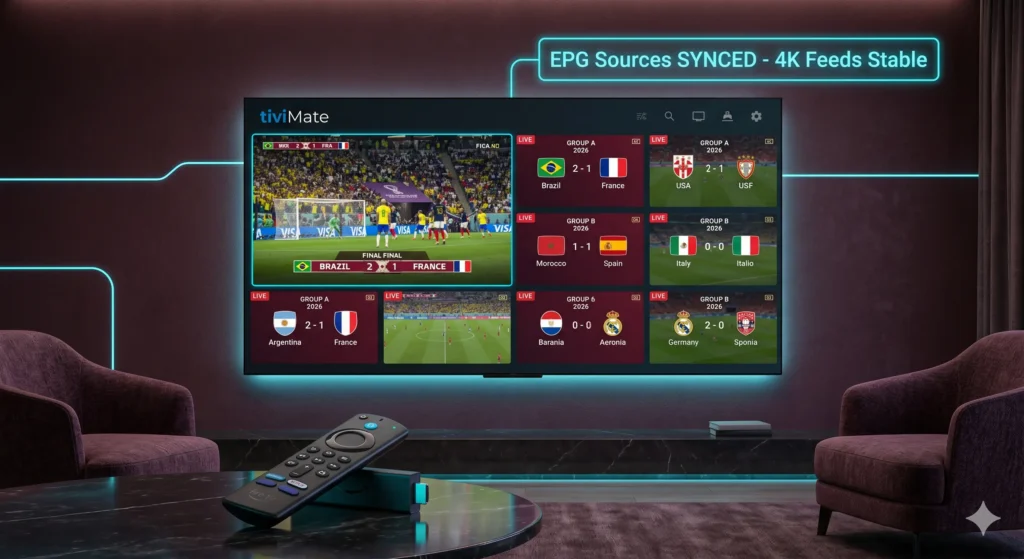
Finding the Best IPTV for World Cup 2026 is the ultimate goal for football fans who want to stream every single match in crystal-clear quality. The 2026 FIFA World Cup is the biggest edition in tournament history, with 48 teams, 104 matches, and three host nations: the United States, Canada, and Mexico. The tournament opens on 11 June 2026 and ends with the final on 19 July 2026, which means fans are preparing for more football, more simultaneous viewing windows, and more pressure on every streaming platform than any previous World Cup. That scale is exactly why so many viewers are rethinking how they watch. Traditional cable packages can be expensive, rights vary by country, and travelling across three host nations for live matches is unrealistic for most fans. The real goal is simpler: find the Best IPTV for World Cup 2026 setup, pair it with the right device, and make sure your server infrastructure is ready before the opening match. Why Server Infrastructure Matters for World Cup 2026 If you want the Best IPTV for World Cup 2026, the first thing to judge is not marketing. It is infrastructure. A stream can look perfect during a quiet weekday test and still collapse when a major group-stage clash, knockout match, or host-nation fixture sends traffic surging. For football, the failure points are always the same: That is why the best streaming services invest in the boring parts of delivery: redundant origin feeds, smarter CDN routing, regional edge delivery, and resilient player apps. Even if a viewer never sees that architecture, they feel it immediately. A good platform starts fast, holds quality, and keeps the dreaded loading wheel off the screen when a move builds in the box. The only metric that matters is whether you have an anti-freeze IPTV for football stream that stays solid under real event pressure. The 4K UHD and 60fps Standard for Live Football Streaming Football exposes weak compression faster than almost any other sport. The camera pans constantly, the ball moves quickly across the frame, and a poor stream turns grass into mush, crowds into noise, and the ball itself into a blur. For that reason, the benchmark for anyone trying to watch World Cup 2026 live streaming on a large TV should be: This is especially important for the 2026 tournament because the event runs across three countries and a wide set of venues, with a longer, denser schedule than older editions. If you are watching several matches a day, the visual fatigue from poor motion handling adds up fast. World Cup 2026 Streaming Requirements Feature Premium Standard Minimum Requirement Resolution True 4K UHD 1080p HD Frame Rate 60 fps (Smooth Motion) 30 fps Internet Speed 50 Mbps+ (Stable) 25 Mbps Recommended Codec AV1 / HEVC H.264 Connection Type Ethernet (Wired) 5 GHz Wi-Fi Main Broadcasters and 4K Sports IPTV Servers Channels to Look For The most important buying decision is regional rights. The right service in one country may not be the right one in another, so always start with the official broadcaster list for your market. FIFA maintains an Official Broadcasters page for World Cup 2026, and that should be your first checkpoint. For major markets, the FIFA World Cup 2026 channels list includes: A premium service carrying these channels must also have a flawless usability layer, ensuring reliable EPG schedule sync, correct match naming, and fast access to upcoming fixtures. How to Stress-Test Your Setup Before Kick-Off Do not wait until opening day to discover that your app stutters, your Wi‑Fi drops frames, or your device overheats. The World Cup opens on 11 June 2026, so your setup should be tested well in advance. The Exact Test Sequence: The Best Hardware for World Cup Streaming If your goal is a smooth, premium football experience, the device matters almost as much as the service: Conclusion: Securing the Best IPTV for World Cup 2026 The 2026 World Cup is too big to treat casually. With 48 teams, 104 matches, and a month-long run from 11 June to 19 July, this is the kind of tournament that rewards preparation. The safest path is to secure a legitimate service, test it during live football before kickoff, and make sure your device and network can actually deliver the quality you are paying for. Do that properly, and you give yourself the best possible chance of watching every crucial moment in crisp 4K without panic, buffering, or last-minute scrambling.
Best IPTV UK 2026: What British Viewers Should Look for in a Premium Live Sports & Home Cinema Service
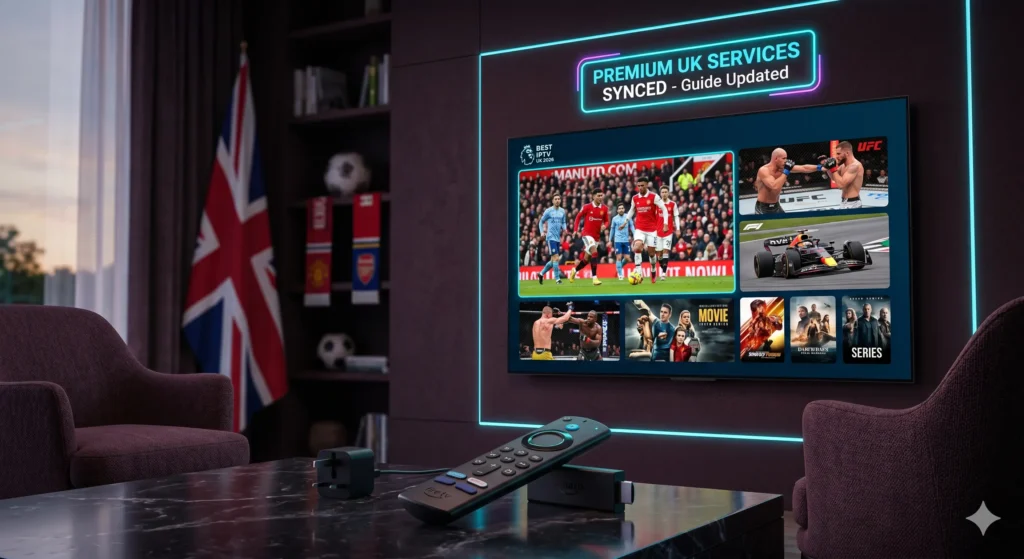
British viewers are paying more than ever to watch sport. Sky Sports packages are heavily promoted across bundled TV deals, NOW still sells day and month passes, and TNT Sports on HBO Max is sold as a separate monthly product in the UK, all of which adds up quickly for households following football, Formula 1, boxing, and midweek European nights. That cost pressure is exactly why so many people are searching for the Best IPTV UK 2026 instead of stacking more traditional subscriptions on top of each other. The demand is obvious, but expectations are also much higher now. British viewers do not just want “more channels”; they want stable live sport, sharp picture quality, proper guide data, and an interface that feels close to Sky rather than a clumsy playlist dump. Choosing the Best IPTV UK 2026 can feel premium, but the wrong choice will collapse the moment traffic spikes at weekend kick-off. What Makes a Service the Best IPTV UK 2026? A premium UK-focused IPTV service has to do more than advertise thousands of channels. For British households, the baseline is simple: real HD or 4K feeds, dependable UK entertainment and terrestrial backups, a proper EPG, and server stability when football traffic rises sharply. That standard matters even more now because Sky and TNT together hold the live Premier League rights in the UK for 2025/26, which means demand around those fixtures is intense and viewers notice weaknesses immediately. When reviewing a service for UK viewers, these are the core technical standards that matter most: A good service should also feel local in its organisation. UK users do not want to dig through endless international folders before finding the channels that matter on a Saturday afternoon or Sunday evening. A premium provider should surface British channels and sports groups quickly and keep the experience remote-control friendly on living-room hardware. The Ultimate Test: Premier League and Live Sports Stability This is the section where weak services get exposed. Under the current domestic rights cycle, Sky will show a minimum of 215 Premier League matches per season and TNT a minimum of 52, while the broader rights package covers up to 270 live games a season from 2025/26. That concentration of premium football on a small number of heavily watched windows creates enormous traffic spikes, especially around early Saturday kick-offs, Super Sunday, midweek rounds, and the run-in. For that reason, the most important technical test for best IPTV for sports UK searches is not channel count. It is whether the server holds up during live traffic. A Proper Sports Test Should Check: Frame rate matters too. On larger TVs, sport looks far better when the service delivers smooth motion rather than juddery compressed video. That is why 60fps broadcasting is such a major quality marker for football, motorsport, and combat sports. Fast pans across the pitch, quick transitions, and tight tracking shots all look cleaner and more natural when the stream is properly encoded for motion-heavy content. Hardware and App Setup for British Households For most UK users, the best experience is not on a built-in Smart TV app. It is on a dedicated streaming device with a stronger IPTV player. Amazon’s Fire TV Stick 4K Max remains one of the most practical options because Amazon’s current Fire TV device specs list 16 GB of storage and AV1 support for the model family, while third-party reviews continue to position the 4K Max as the best-value Fire TV stick for demanding streaming setups. That is why so many British viewers build around this stack: TiviMate is generally the better fit if you want a Sky style IPTV interface. Its TV-guide layout, favourites workflow, and cleaner live-TV presentation make it more attractive for football-heavy viewing on the main television. Smarters Pro is usually easier for beginners or families who also want movies and series in one simpler layout. UK IPTV Checklist 2026 Factor Premium Standard What to Avoid Live Sports Stability Holds steady during Premier League and major event traffic Buffering at kick-off or repeated stream drops Resolution Genuine HD and usable 4K on supported feeds Soft “4K” labels with low bitrate video Motion Quality Smooth 50/60fps-style sports presentation Juddery motion on football and F1 EPG Uptime Guide loads consistently and matches live schedules “No Information” across sports and UK channels UK Channel Structure Clear BBC, ITV, Sky-style and local groups Messy, duplicated or badly named channel folders Buffer Settings Tunable and stable without huge live delay Over-buffered streams or constant freeze cycles Combining Elite Sports with World-Class Cinema A UK-focused IPTV service should not be judged on football alone. The best ones understand that a household may spend Saturday on live sport, then switch to film nights, box sets, and family entertainment during the rest of the week. While sorting out your live football streams is crucial, ensuring your provider has a properly maintained movie catalogue is just as important. If you want to see how a high-end service should structure its on-demand library, read this expert breakdown on the best IPTV for movies & series 2026 to understand what a true 4K VOD hub looks like. That kind of internal link works well because it catches the reader at the exact moment they shift from “sports buyer” to “whole-home entertainment buyer.” How UK Buyers Should Test Before Paying The smartest move is to test during a live match, not a quiet weekday morning. A provider that works under pressure is far more likely to be worth paying for over the long term. Use this Test Routine: Final Word: Making the Right Choice For British viewers, the Best IPTV UK 2026 is the one that feels reliable when it matters most. That means stable live sport, smooth motion on large televisions, strong Firestick compatibility, accurate guide data, and enough film and series depth to justify keeping the subscription after the final whistle. Do not buy based on price alone. Test during a live match, judge the stream under pressure, and
Best IPTV for Movies and Series 2026: Experience a Private 4K Cinema at Home
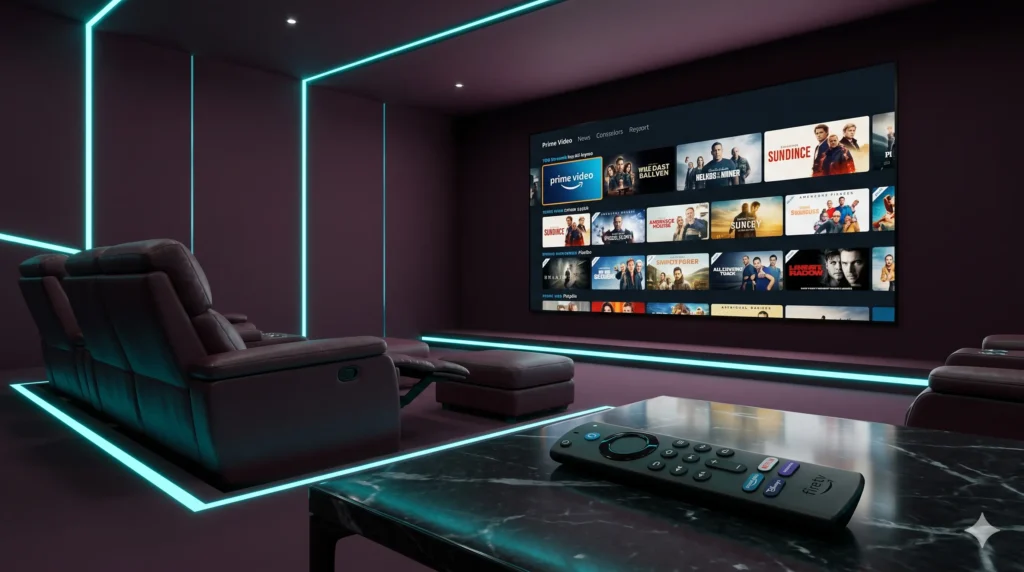
Home entertainment in 2026 has a new problem: subscription fatigue. Many viewers now pay separately for Netflix, Disney+, HBO Max, and other services, yet still spend time jumping between apps just to find one film or one new series episode. Official pricing makes that frustration easy to understand, with Netflix Premium at $26.99 per month, Disney+ Premium listed at $18.99 per month in current coverage, and HBO Max Premium at $22.99 per month. That is exactly why so many users now want one master library instead of five fragmented subscriptions. For movie lovers, the real appeal is not just lower friction. It is having one place where films, series, subtitles, categories, and resume history live together. A strong IPTV platform with a premium VOD section can feel closer to a private cinema hub than a basic streaming app, especially when the interface is clean and the library is updated properly. Why a 4K VOD Library Defines the Best IPTV for Movies 2026 A premium 4K VOD library is not just about having more titles. It is about creating a viewing environment that feels intentional, cinematic, and technically complete. Today’s major streaming services have already trained viewers to expect 4K, HDR, and immersive audio. Netflix says its Premium plan includes 4K + HDR, and Dolby notes that Netflix Premium is the plan required for Dolby Vision and Dolby Atmos content on supported devices. Disney+ also promotes 4K UHD and Dolby Atmos on compatible devices, with Dolby stating that these features are tied to the Premium plan on supported content and hardware. HBO Max’s current plan listings show that 4K is part of its Premium tier, with current plan pricing at $22.99 per month. That tells us something important about user expectations. The modern viewer does not want “good enough HD.” They want: This is where a premium IPTV VOD platform can stand out. Instead of splitting content across multiple paid ecosystems, a strong service can deliver films and series in one interface with the kind of picture quality users already expect from the biggest subscription brands. Features of a Premium Movie Experience A real home cinema setup is not defined only by resolution. The small usability details matter just as much. When we review VOD-focused IPTV services, we look for features that make the library feel premium from the first click: These features are the reason some platforms feel premium while others feel like a random folder of video files. A high-end IPTV VOD section should feel polished, not improvised. Metadata matters more than most providers admit. If a user sees clean posters, accurate descriptions, and proper episode sorting, the library feels trustworthy. If the title art is broken, the episode order is wrong, and descriptions are missing, the platform feels cheap immediately. Subtitles are another major quality signal. A premium service should offer multiple subtitle options for international viewers, families, and bilingual households. That is especially important when your audience watches English-language films, local-language content, and international series in one library. Then there is Resume Playback, one of the most underrated features in any VOD ecosystem. If users stop halfway through a movie and return later, they expect the system to remember their place. That is basic streaming convenience now, and any service aiming for a Netflix style IPTV interface should treat it as a standard feature. Top Categories to Look For The strongest VOD libraries do not just offer “movies” and “series.” They organize content in ways that match how people actually browse. Here are the core categories we expect from a premium service: This is where a good IPTV VOD service becomes more than a backup streamer. It becomes the central entertainment library in the house. Viewers searching for the Best IPTV for Movies 2026 are usually not looking for just one more app. They want one system that replaces constant switching between services. A well-organized VOD section can do that by merging new films, long-running series, premium catalog content, and family viewing into one clean experience. The best providers also understand that people browse visually. The interface should surface: That is how you create the feeling of a true Netflix style IPTV interface rather than a playlist dump. The Importance of Frequent Updates A premium library that does not update is not premium for long. One of the clearest signs of a high-quality VOD provider is the rhythm of its updates. We expect serious services to refresh movies and series frequently, especially in these areas: This is why IPTV series updates matter so much. If a service adds a big show once and then lets the next episodes lag behind, users stop trusting the platform. The same applies to film releases. A provider serious about latest movie releases IPTV should show visible library movement, not a static shelf that looks the same every week. Daily or near-daily updates are a major quality signal because they show active maintenance. They also indicate that the provider understands how VOD is consumed: users return often, and they expect the catalog to feel alive. When we evaluate VOD quality, we ask simple questions: If the answer is yes, the library starts to feel like a premium entertainment product rather than a neglected add-on. Premium IPTV VOD vs Standard Streaming The economic argument is one of the strongest reasons this topic matters. Official pricing alone shows how expensive fragmented streaming has become in 2026, with Netflix Premium at $26.99 per month and HBO Max Premium at $22.99 per month, while current coverage also places Disney+ Premium at $18.99 per month in the US. Feature Premium IPTV VOD Standard streaming services Monthly cost structure One service can centralize movies and series in one place Multiple monthly charges across separate platforms Content volume Often designed as a broad “master library” Split across separate libraries and rights windows Resolution potential Strong services aim for 4K VOD library delivery Premium tiers already gate 4K and Atmos behind higher prices Interface convenience One app, one search
Firestick IPTV Setup Guide 2026: How to Optimize Your 4K Max for Buffer-Free Streaming
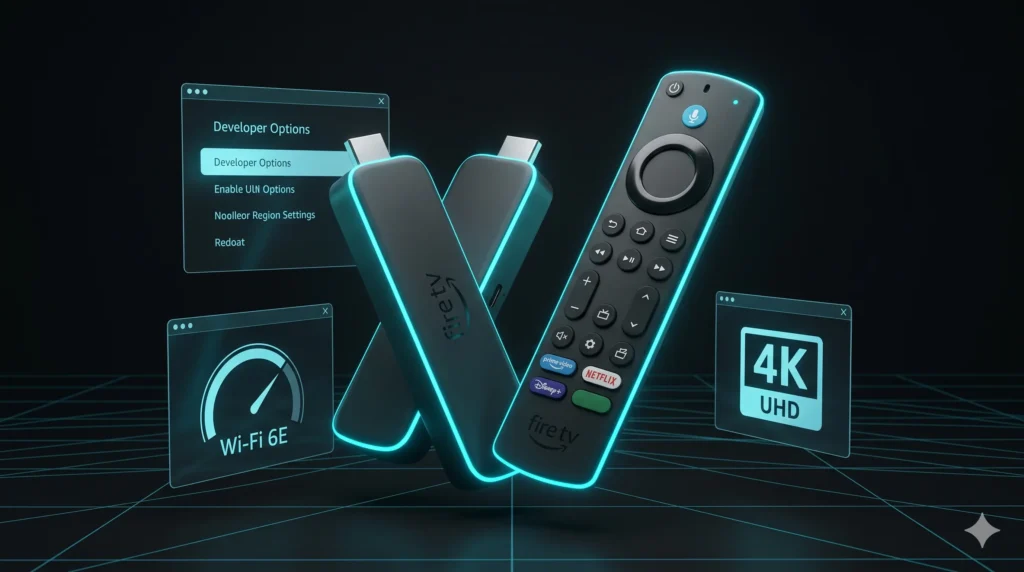
The player and the network matter just as much as the IPTV server. We recommend the Amazon Fire TV Stick 4K Max because it combines tri-band Wi-Fi 6E, 16 GB of storage, and modern hardware video decoding in a small device that is easy to maintain. That combination makes it one of the best platforms for a Firestick IPTV setup, especially when you want smooth 4K playback on TiviMate, Smarters Pro, or another M3U playlist player. If you are moving from an older Firestick, the difference is significant. While the Fire TV Stick Lite has a quad-core 1.7 GHz CPU and 1 GB of RAM, the Amazon Fire TV Stick 4K Max adds a faster 2.0 GHz CPU, 2 GB of RAM, and 16 GB of storage. This extra headroom helps with bigger playlists and heavier EPG loads. Developer Options: Unlocking Your Firestick IPTV Setup Before we install anything, we must unlock the settings that make sideloading IPTV apps possible. On newer 2026 software, the Developer Options Firestick 2026 menu is hidden by default. How to reveal Developer Options in 2026: Next, you must enable Install Unknown Apps. Navigate to Settings > My Fire TV > Developer Options > Install Unknown Apps, then turn permission on for the app you will use to install APK files. Using the Downloader App for Firestick For most users, the easiest route for sideloading IPTV apps is the Downloader app for Firestick. This tool lets you enter URLs or short codes to download and install APK files directly. Step-by-Step Installation: Implementing the Best IPTV Settings for Firestick This is where we squeeze better real-world performance out of the device by reducing background clutter and optimizing privacy. 1. Privacy Toggles for Better Speed Amazon’s system processes data in the background, which can slow down streams. We recommend these changes: 2. Manual Background App Control Background memory usage affects app start times. Before a big match, go to Settings > Applications > Manage Installed Applications, select unused apps, and press Force Stop to free up RAM. 3. Player Optimization Inside your chosen app, use these best IPTV settings for Firestick: VPN for Firestick IPTV: Bypassing Throttling A VPN for Firestick IPTV can help when your ISP shapes streaming traffic. The VPN tunnel encrypts your traffic, making selective throttling much harder for the ISP. We suggest using nearby VPN servers to avoid adding unnecessary latency to your live TV experience. Wi-Fi 6E vs. Ethernet for 4K Playback The Amazon Fire TV Stick 4K Max supports tri-band Wi-Fi 6E (2.4/5/6 GHz) and 10/100 Ethernet via an external dongle. Fire TV Device Comparison: Lite vs. 4K Max Model CPU RAM Wi-Fi Storage Fire TV Stick Lite Quad-core 1.7 GHz 1 GB DDR4 Dual-band Wi-Fi 5 8 GB 4K Max (2nd Gen) 4x Cortex-A55 2.0 GHz 2 GB LPDDR4 Tri-band Wi-Fi 6E 16 GB (Source:) Essential Maintenance Checklist To prevent slowdowns, follow this simple maintenance routine: A cleaner playlist almost always means faster zapping and a more stable interface. The Amazon Fire TV Stick 4K Max is a powerful tool, but the right Firestick IPTV setup is what truly saves you from hours of frustration.
Best Way to Grow Your IPTV VPN Speed in 5 Minutes: The 2026 Ultimate Guide
In the modern era of digital entertainment, traditional cable TV is rapidly becoming a relic. IPTV VPN usage has become the gold standard for viewers who demand privacy and unrestricted access. However, many users face a common enemy: Buffering. If you want to grow your streaming performance, understanding the synergy between your IPTV VPN and your playlist is key. Whether you are using Limitless IPTV or another premium provider, these 5-minute tweaks will transform your viewing experience from frustrating to flawless. 💡 Key Takeaways for High-Speed Streaming Why an IPTV VPN is Essential in 2026 Unlike conventional broadcasting, IPTV uses customized playlists to deliver content directly to your device. Without a dedicated IPTV VPN, your Internet Service Provider (ISP) can see high-bandwidth traffic and “throttle” (slow down) your connection during peak hours—like during a major football match or a new movie release. By using a high-quality IPTV VPN, you encrypt your data, making it invisible to the ISP. This ensures that your Limitless IPTV 4K streams stay fluid, maintaining high bitrates without the annoyance of sudden resolution drops. How to Identify ISP Throttling Not sure if you need a VPN? Look for these signs: 🚀 How to Grow Your IPTV VPN Speed in 5 Minutes If you notice lag, follow these rapid-fire optimization steps: Step-by-Step: Setting Up Your Secure IPTV Playlist Once your IPTV VPN is optimized, setting up your playlist is the next step. Limitless IPTV makes this process seamless for all users: Step Action Pro Tip 1 Download a Player Use IPTV Smarters or TiviMate for the most responsive UI. 2 Connect VPN Ensure your IPTV VPN is active before opening your player. 3 Load M3U URL Enter the unique link provided in your Limitless IPTV dashboard. 4 Sync EPG Load the Electronic Program Guide for a premium, cable-like feel. Alternative Devices for the Best 4K Experience To get the most out of your IPTV VPN and playlist, your hardware must be capable of decoding high-bitrate 4K signals: Conclusion: The Future of Television is Secure An IPTV Playlist unlocks endless entertainment possibilities—from live international sports to the latest blockbuster movies. However, the “secret sauce” to a perfect experience is a well-optimized IPTV VPN. By following our 5-minute speed-up guide and using a premium provider like Limitless IPTV, you bridge the gap between complex technology and pure, uninterrupted entertainment. Don’t let your ISP dictate your viewing quality. Take control, encrypt your stream, and enjoy the full potential of 4K television in 2026.
Best Way to Grow Your IPTV Parental Control: 3 Essential Features for 2026
As streaming becomes the primary source of home entertainment, parents face a growing challenge: how to ensure their children access only age-appropriate content. With thousands of live channels and on-demand shows just a click away, IPTV Parental Control isn’t just a convenience—it’s an absolute necessity for modern households. At Limitless IPTV, we understand this need. We don’t just provide a massive library; we provide powerful IPTV content filtering tools to manage what your family watches while delivering the seamless 4K streaming and buffer-free performance our users expect. This guide explores the best ways to grow your security setup and maximize the potential of your IPTV parental control features. 💡 Key Takeaways for Protected Streaming 1. The 3 Core Features of Modern IPTV Parental Control To truly “grow” your security, you need to master these three pillars of IPTV content filtering. These features ensure that your IPTV parental control setup is bulletproof. A. Advanced Category Locking Instead of blocking one channel at a time, elite services allow you to lock entire categories. You can hide adult content, sports betting, or violent cinema sections with a single click. This is the highest level of IPTV content filtering available today. B. Time-Restricted Viewing Schedules Modern IPTV parental control allows you to set “curfews.” You can program the app to shut down or lock certain premium channels during homework hours or after bedtime, ensuring your children maintain a healthy digital balance. C. Master PIN & User Profiles A secure 4-digit PIN is your first line of defense. By creating different profiles within your IPTV parental control settings, you can tailor the experience for a toddler, a teenager, and an adult, each with their own level of IPTV content filtering. Step-by-Step Guide: Enabling Controls on Limitless IPTV Limitless IPTV makes safeguarding your family’s viewing simple with an intuitive interface. Follow these steps to activate your IPTV content filtering protocols: Technical Tips for Smoother, Safer Streaming Security and performance go hand-in-hand. To ensure your IPTV content filtering doesn’t cause lag, follow these technical optimization tips: Monitor Your Bandwidth High-level IPTV parental control and 4K streams require a stable connection. VPN Compatibility & Privacy If you are traveling, pair your service with a low-latency VPN. This ensures your IPTV content filtering settings remain consistent even when you are accessing your subscription from a different IP address or region. Comparison: Built-in vs. External Filtering Feature Built-in IPTV Parental Control Router-Level Filtering Ease of Use Very High (App-based) Moderate (Technical) Granularity Block specific channels Block entire domains Profiles Supports multiple users Applies to the whole network Effectiveness Elite for Content Selection Best for time-limits Alternative Parental Control Methods While Limitless IPTV offers robust built-in tools, these supplemental solutions add extra layers of IPTV content filtering: Conclusion: Total Peace of Mind in 4K Modern streaming shouldn’t mean compromising your family’s well-being. With Limitless IPTV’s sophisticated IPTV parental control tools, you gain total precision over content access without losing the 4K clarity and reliability you pay for. By pairing strategic IPTV content filtering with high-performance hardware, you create a holistic shield for your household. Remember: proactive management today ensures a worry-free entertainment experience tomorrow. Limitless IPTV remains committed to delivering both boundless choice and essential peace of mind for every subscriber in 2026.
The Proven 3-Step Guide to Master IPTV Activation for Elite 4K Streaming
In today’s streaming-first world, accessing thousands of global channels is easier than ever. However, the most frustrating hurdle for most users is the initial IPTV Activation. This crucial setup phase determines whether you’ll enjoy a flawless 4K experience or suffer through endless buffering. If you are using a premium service like Limitless IPTV, the process is designed to be seamless but only if you know the secret “pro” steps. Whether you’re on a Firestick, Android box, or Smart TV, this ultimate 2026 guide will help you master your IPTV Activation in record time. Step 1: Pre-Activation Audit (The Setup) Before you even touch your remote, you must ensure your environment is ready for high-bitrate streaming. Most activation failures happen because of weak infrastructure. Step 2: Device Installation & Code Entry Each device has a slightly different path. Here is how to handle the most popular hardware like an elite user: Firestick & Android TV Samsung & LG Smart TVs Since these use closed systems (Tizen and WebOS), the process involves a “bridge” app: Step 3: Post-Activation Optimization Once the channels are loaded, don’t just start watching. You need to “tune” the app for maximum performance: Pro Tips to Prevent Buffering After Activation Even with a successful IPTV Activation, external factors can ruin your night. Here is how to stay protected: Use a Reliable VPN ISPs (Internet Service Providers) often throttle your speed when they detect high-bandwidth streaming. A VPN like NordVPN or ExpressVPN masks your traffic, ensuring your IPTV Activation remains stable even during peak hours like a Champions League final. Weekly Cache Clearing Every week, go to your device settings and clear the app cache. This prevents data clutter from slowing down your interface and keeps the zap-time (channel switching) incredibly fast. Conclusion Mastering IPTV Activation is the difference between a frustrating evening and an elite home cinema experience. By following these 3 proven steps, you eliminate the guesswork and unlock the full potential of services like Limitless IPTV. Ready to stop struggling and start streaming? Double-check your IPTV Activation code and follow this guide to redefine your viewing habits forever.
The Best Strategy for Massive IPTV Growth on Roku with 10 Instant Channels
If you’re looking to cut the cord without losing your favorite live sports, international news, or 4K movies, IPTV for Roku is the ultimate game-changer. Let’s be honest: while Roku is famous for being user-friendly and affordable, getting IPTV to run smoothly on it requires a bit of “tech-savvy” maneuvering compared to Android devices. In this guide, we’ll show you exactly how to bypass Roku’s restrictions using premium services like Limitless IPTV to get you streaming in minutes. Why is IPTV for Roku Different? Unlike Android-based Firesticks, Roku uses a closed system. This means you won’t find a “Download APK” button here. To get those 10 instant channels (and thousands more) running, you need reliable workarounds that don’t compromise your streaming quality. Method 1: The Fast Track (Screen Mirroring) This is the quickest way to get up and running if you want to watch something right now: Method 2: The Pro Setup (Plex & M3U Playlists) To get a native-like experience on your Roku remote, using Plex is the gold standard: Stop the Lag: Tips for Buffer-Free 4K Streaming Nothing ruins a game like a buffering circle. To ensure your Limitless IPTV performs at its peak, follow these rules: Is Roku Still the Best Choice for IPTV? Roku is amazing for Netflix and Hulu, but if you find these workarounds too tedious, you might consider: Final Thoughts Setting up IPTV for Roku might take a few extra minutes, but the freedom of accessing global content and premium channels makes it worth every second. By pairing a high-quality service like Limitless IPTV with the right setup, you can finally say goodbye to expensive cable bills forever.