
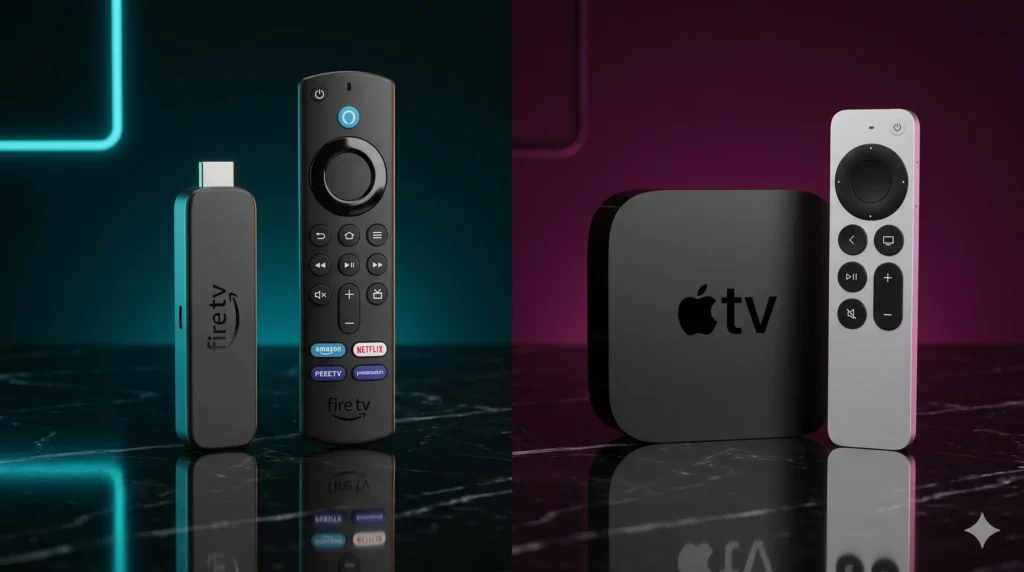
Choosing the right streaming device is no longer a small detail. In 2026, your IPTV experience depends just as much on hardware as it does on the provider itself. The current Fire TV Stick 4K Max offers 16GB storage, Wi-Fi 6E, support for 4K HDR at 60fps, and broad HDR support including Dolby Vision and HDR10+, while Apple TV 4K brings the A15 Bionic chip, 64GB or 128GB storage, HDMI 2.1, and a famously smooth premium interface. That creates the real buying dilemma for today’s streaming households: do you go with the flexible, value-driven Firestick, or invest in the more expensive but ultra-polished Apple TV 4K?
For IPTV users, this decision matters more than ever. A premium subscription can still feel average on weak hardware, while choosing one of the best IPTV streaming devices can dramatically improve live sports playback, app responsiveness, guide loading, and 4K VOD performance. We always say the same thing: your streaming quality is roughly 50% provider and 50% device. If either side is weak, the entire setup suffers.
Table of Contents
Amazon Fire TV Stick 4K Max: The King of Value
If you want the best balance of price, flexibility, and IPTV compatibility, the Amazon Fire TV Stick 4K Max remains one of the smartest choices on the market. Reviews and spec summaries for the current model consistently point to a 2.0GHz quad-core processor, 2GB RAM, 16GB storage, Wi-Fi 6E, and support for 4K HDR at 60fps with Dolby Vision, HDR10, HDR10+, HLG, and Dolby Atmos.
That specification profile matters because the 4K Max hits the sweet spot for real-world streaming. It is powerful enough to run modern IPTV apps smoothly, compact enough to disappear behind a TV, and affordable enough to appeal to high-intent buyers who want a serious upgrade without paying Apple TV money.
Why Firestick Remains So Popular
The biggest advantage of the Fire TV Stick 4K Max is not just raw hardware. It is the combination of hardware and ecosystem. Key strengths include:
- Excellent value for the price, with Apple TV 4K costing roughly double.
- Easy plug-and-play setup, ideal for most households.
- Strong app support, including major global and domestic streaming apps.
- Android-based flexibility on the classic Fire OS generation, making it highly attractive for power users.
- Top-tier compatibility with TiviMate, which is a major reason so many IPTV enthusiasts still consider it the best hardware for TiviMate.
Firestick 4K Max Setup 2026
For anyone planning a Firestick 4K Max setup 2026, the device is still one of the easiest entry points into a strong IPTV environment. It works especially well for users who want TiviMate for live TV power use, IPTV Smarters Pro for simpler multi-device households, or a compact streaming stick for travel.
There is one caveat worth noting: current UK reporting on Fire TV hardware says Amazon’s newer Vega OS-based sticks limit app flexibility compared with the older “classic” Android-style Firesticks, while the current Fire TV Stick 4K Max (2nd Gen) remains in the classic category, allowing broad app choice and sideloading.
Apple TV 4K: Elite Performance at a Premium Price
Where Firestick wins on value, Apple TV 4K wins on refinement. Apple’s official technical specifications list the current model with an A15 Bionic chip, 64GB storage on the Wi‑Fi model, 128GB on the Wi‑Fi + Ethernet model, Wi‑Fi 6, Bluetooth 5.0, and HDMI 2.1. That hardware foundation gives Apple TV 4K one of the smoothest day-to-day experiences in streaming.
From the moment you use it, the difference is obvious. Menus are faster, app transitions feel cleaner, and the interface behaves more like a premium computing device than a budget streaming stick. If you care about pure polish, Apple TV 4K is in another class.
Why Apple TV Feels Premium
Apple TV’s appeal goes well beyond the spec sheet. It is about how the entire system works together:
- A15 Bionic processing power for strong overall responsiveness.
- Very smooth tvOS interface with zero navigation lag.
- Premium HDR handling, including support for high-end TV setups.
- Larger storage options, especially the 128GB Ethernet model for heavy app caches.
The App Trade-Off
The main limitation of Apple TV 4K for IPTV is app ecosystem flexibility. It does not natively support TiviMate, which immediately changes the calculation for live-TV-focused users. Instead, finding the right Apple TV 4K player app matters much more than it does on Firestick. Apple users typically rely on premium alternatives such as GSE Smart IPTV, IPTVX, or other tvOS-compatible players that offer a luxurious experience inside the tvOS environment.
Codecs and Processing: Handling 4K Live Sports
This is where the comparison becomes truly technical. For live sports, the real challenge is not just resolution. It is whether the device can decode modern streams at 60fps, maintain stable playback, and avoid frame drops under heavy load. Fast-moving sports like football, Formula 1, UFC, and boxing reveal hardware weaknesses instantly through motion blur, dropped frames, or audio drifting out of sync.
That is why achieving freeze free IPTV streaming is not only about the server; the hardware must keep up with decoding modern compression formats like HEVC and AV1 without overheating.
Amazon’s Fire TV device documentation indicates full native support for modern formats including AV1, which helps future-proof the Fire TV Stick 4K Max for efficient high-quality delivery. Apple’s current specs emphasize its raw processing power and premium output stack more than codec marketing, but its A15 Bionic chip delivers flawless performance profiles targeted at high-end streaming use.
Technical Matchup 2026
| Device | Price Tier | Operating System | Sideloading Ease | Top Recommended Player App | Max Resolution / FPS |
| Amazon Fire TV Stick 4K Max | Mid-range / Value | Fire OS (Classic Android-based) | Easy | TiviMate / Limitless App | Up to 4K HDR / 60fps |
| Apple TV 4K | Premium | tvOS | Limited | IPTVX / GSE Smart IPTV | 4K with Premium HDR |
| Nvidia Shield Pro | Premium Enthusiast | Android TV | Very Good | TiviMate | Up to 4K HDR / 60fps |
Note: The inclusion of the Nvidia Shield Pro here matters because it remains the premium enthusiast benchmark for many power users, featuring the Tegra X1+ processor, 3GB RAM, and 16GB storage with full Android-based hardware overhead.
The Verdict: Which Device is Right for Your Living Room?
When deciding on the best IPTV streaming devices for your setup, the final choice comes down to your personal workflow:
- Choose Fire TV Stick 4K Max if you want: The best value for money, the easiest path to TiviMate, more app sideloading flexibility, and modern AV1 codec support without overspending.
- Choose Apple TV 4K if you want: The smoothest premium interface, better overall system polish, a high-end home cinema feel, larger storage options, and strong premium streaming performance beyond IPTV.
Final Decision
The Amazon Fire TV Stick 4K Max remains the smarter choice for buyers who want flexibility, value, and compatibility with the apps that serious IPTV users actually prefer. Its 16GB storage, Wi-Fi 6E, 4K/60fps support, and broader app freedom make it the most practical option for most households.
Conversely, the Apple TV 4K is the better choice if you care most about pure speed, premium UI integration, and a more luxurious streaming experience overall. Pair either device with a high-quality subscription and the right player, and you will have the foundation for a truly optimized, freeze-free home entertainment setup.