
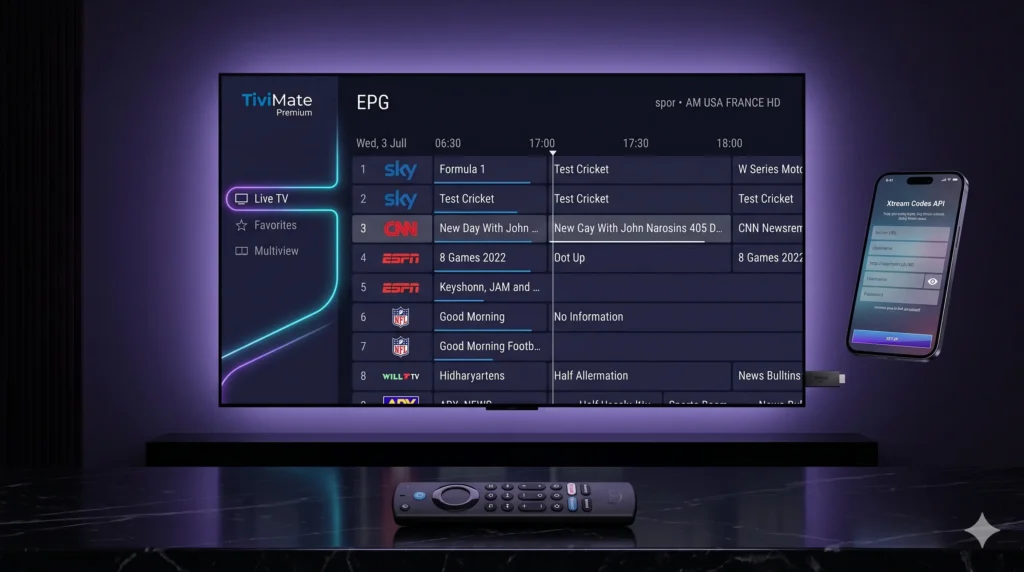
If you use Android TV or Firestick for live TV, movies, and catch-up content, TiviMate Premium is still one of the strongest interface upgrades you can make in 2026. The official TiviMate ecosystem presents it as a premium media player built around multiple playlists, favorites, advanced search, multiview, catch-up tracking, recording, parental controls, and heavy personalization. This is exactly why many users still treat it as the absolute benchmark IPTV front-end for big-screen streaming. Just as importantly, TiviMate is explicit about what it is not: it does not provide channels, streams, or media content on its own. Any premium purchase only unlocks app features rather than bundled content.
That distinction is the key to a proper configuration. The free version is usable, but the TiviMate IPTV Player becomes dramatically more powerful once Premium is unlocked. That is when the app’s advanced management tools start to matter across multiple playlists, better channel organization, and premium-only controls. If you plan to use credentials from our elite networks including Limitless IPTV, Arisiptv, Rush IPTV, or Next IPTV—the best experience usually comes from loading fully optimized Xtream Codes or M3U details into TiviMate and letting its guide engine do the heavy lifting.
Table of Contents
Why TiviMate Premium is the Ultimate Interface
TiviMate’s reputation comes from how close it feels to a polished cable or satellite box once it is configured properly. The official feature list highlights multiple playlists, favorite channels, search, multiview, catch-up, recording, parental controls, and personalization, all of which combine into a much more premium TV-style experience than a basic playlist app.
The most important upgrade is the guide itself. TiviMate’s strength is not simply that it can open streams, but that it can organize them in a proper television-first layout with favorites, categories, search, and EPG-backed browsing that feels much cleaner on a living-room screen. When people describe it as the best IPTV player for Firestick 2026, they are usually talking about that blend of speed, guide clarity, and TV-friendly navigation rather than just raw playback.
Premium also matters because TiviMate is built for users who want more than one source. The platform explicitly supports multiple playlists, which makes it easier to separate sports, regional channels, backup lines, or family-specific viewing profiles inside one interface. That is especially useful if your credentials come from our premium networks or if you keep a primary line and a backup line for busy match days.
Another standout feature is Multiview. TiviMate officially supports watching different channels simultaneously on the same screen, which is a major advantage for sports-heavy households that follow multiple live matches at once. If you want to track two to four events in parallel, this is one of the clearest reasons to move from a basic player to a premium one.
Exclusive Premium Benefits:
- Better Channel Management: Effortlessly create custom favorites and hidden category structures.
- Integrated Catch-Up Support: Instantly access past-broadcast schedules for playlists that support it.
- Local Recording Support: Record live television events directly to your local storage or network drive.
- Advanced Personalization: Complete control over UI scaling, color accents, and parental blocks.
How to Download TiviMate Premium APK on Firestick and Android TV
The cleanest source for the app is the official repository, which offers a direct Download APK link and Google Play access. To streamline setup on streaming sticks, you can enter Downloader shortcode 272483 or type the direct URL tivimate.com/apk.
Android TV Install Path
On Android TV devices with Google Play access, the simplest path is to install TiviMate from the Play Store. The application is explicitly intended for Android TV devices and is not optimized for touch-based phones and tablets.
- Open Google Play on your Android TV and search for TiviMate.
- Install and launch the app on your device.
Firestick Install Path
For Amazon Fire TV devices, you will need to sideload the TiviMate Premium apk using the Downloader application:
- Go to Settings > My Fire TV > About and click your device name several times until a notification says you are a developer.
- Open the newly unlocked Developer Options and allow installation via unknown apps for Downloader.
- Launch Downloader and enter the shortcut code 272483.
- Download and install the official APK, then safely delete the installer file to free up local storage space.
TiviMate Companion App and Premium Activation
The official TiviMate companion app is listed on Google Play and is explicitly designed as the billing tool intended to unlock Premium functionality on hardware platforms without direct Google Play access (like Amazon Fire TV sticks). It acts purely as your account manager and active device token validator.
For users running iPhone, iPad, or Mac/Windows desktops, the core limitation is that the Companion app is an Android Google Play store utility. Setup walkthroughs recommend using an old Android mobile device or running a desktop Android emulator (such as BlueStacks) to manage your premium registration.
The Standard Activation Path:
- Step 1: Install the TiviMate Companion app on an Android-enabled environment.
- Step 2: Create your account and complete the premium license purchase.
- Step 3: Open the main TiviMate Player on your Firestick or TV box and click “Unlock Premium”.
- Step 4: Log in with the exact same account credentials used in the Companion app to activate your device screen instantly.
Step-by-Step: Adding an Xtream Codes Playlist to TiviMate
Once the app is installed and Premium is active, the next step is adding your service credentials. Using Xtream Codes API parameters is highly recommended over typing a long M3U URL string, as it allows the TiviMate engine to parse and update your TV categories and EPG guide data far more dynamically.
Setup Sequence:
- Launch the TiviMate player and select Add Playlist.
- Choose Xtream Codes as your connection method.
- Carefully enter the Server URL, Username, and Password supplied by your provider such as Arisiptv, Rush IPTV, or Next IPTV.
- Click Next and let the app query the backend server to automatically import your premium channel list and guide details.
Advanced Troubleshooting: Fix Buffering & Guide Errors
Even a professional home cinema configuration can experience issues if your device cache gets congested or your internet provider limits your speeds.
1. Fixing “No EPG” or Missing Guide Data
If your TV guide shows empty blocks, navigate to Settings > EPG inside the app. Review your XMLTV guide sources, verify that your playlist is correctly assigned to the active source, and trigger a manual Update EPG refresh. This easily restores missing listings after a provider changes channel mappings or server endpoints on the backend.
2. Fixing Buffering and App Slowdowns
If streams begin to lag or the interface feels unresponsive on your Firestick, local device maintenance is required:
- Go to Settings > Applications > Manage Installed Applications > TiviMate > Clear Cache to wipe away temporary video stream debris.
- Close running background applications to free up system RAM.
- Reboot both your streaming hardware and your home router to clear stalled connection paths.
- Navigate to TiviMate’s advanced playback settings and increase the stream buffer size to allow the player to pre-load streams smoothly during busy hours.
3. Using a VPN Against ISP Throttling
If your streams play flawlessly during the week but suffer from buffering specifically during massive weekend live football matches or boxing events, your local Internet Service Provider (ISP) may be intentionally throttling your video streaming bandwidth. Install a secure VPN, connect to a nearby low-latency server using fast encryption protocols, and launch the app to completely bypass provider-side slowdowns.
Final Thoughts
A proper TiviMate Premium configuration transforms a basic playlist line into an elite, living-room-ready television platform. By combining its massive premium features like multiview and catch-up tracking with a high-quality subscription from Arisiptv, Rush IPTV, or Next IPTV, you build the definitive foundation for an optimized, freeze-free home entertainment ecosystem. Set up your app from the official repository, trigger your activation via the Companion workflow, and enjoy a premium 4K viewing experience tonight.